Your AI Wrote the Page. Now Get It Online in Nine Seconds.
Here’s the moment this tool was built for.
You asked Claude or ChatGPT for a landing page. Sixty seconds later you have a beautiful single HTML file sitting in your downloads folder. It’s done. It’s good. And it is completely, uselessly invisible — because a file on your laptop is not a website.
That last mile is where most people quit. They Google “how to host an HTML file,” land on a developer platform, hit words like repository and build command and nameserver, and the page never goes live. The work was finished. The launch wasn’t.
OSP Drop is the shortest possible distance between a file and a link you can text to somebody.
Below: seven steps, start to finish. Then the template gallery, an honest comparison with Netlify, and what it costs.
1. Have your AI build the page as one HTML file
Any AI chat can do this. The only rule that matters: ask for a single, self-contained HTML file with the CSS and JavaScript inline. No frameworks, no folders, no external dependencies. One file that works when you double-click it.
If you’d rather not write the prompt yourself, our free AI Page Prompt tool writes it for you — headline baked in, copy organized with the PAS framework, lead form included. Paste it into Claude, save what comes back as page.html, and you’re ready for step 2.
2. Drag the file onto OSP Drop
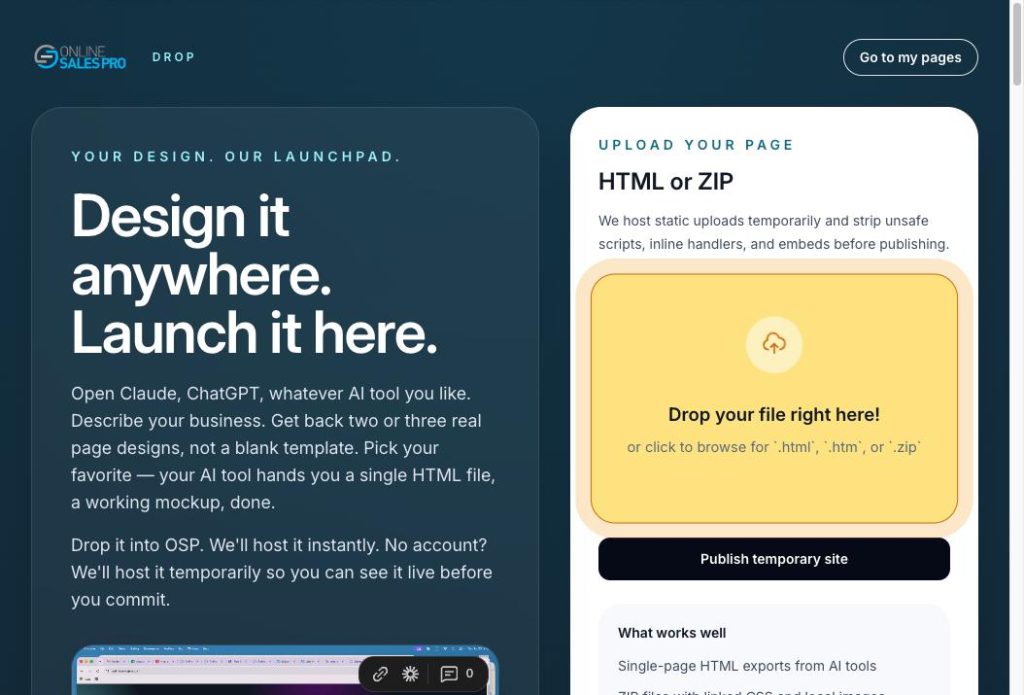
Go to app.onlinesalespro.com/drop. Drag your file onto the box. That’s the entire interaction.
Two things worth knowing up front:
- You don’t need an account to try it. Drop first, decide later.
- It takes a .zip too. If your AI gave you a folder — index.html plus an images folder plus a stylesheet — zip it and drop the zip. OSP unpacks it and serves the whole thing.
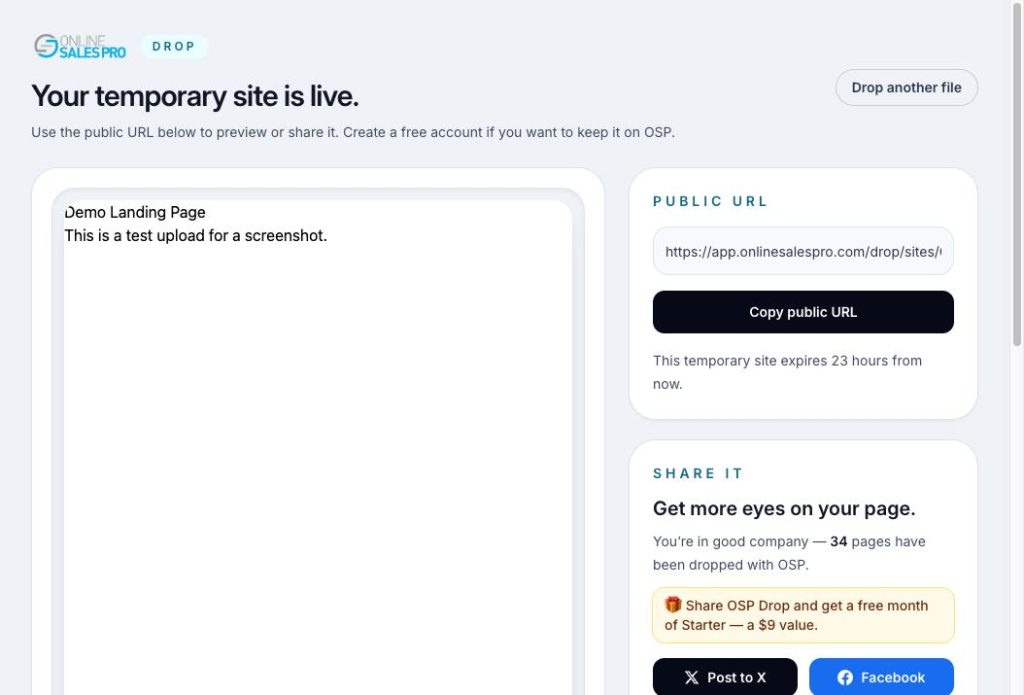
3. Get your live URL — and check it on a phone
Upload finishes, and you have a working web address. Copy it, open it, text it to a client, paste it into an ad. It’s a real page on the real internet.
Do one thing before you move on: open it on your phone. Most of your traffic will be mobile, and thirty seconds of checking now beats finding out from a client later.
4. Claim the page with a free account
Dropping without an account is a test drive. Creating a free account is what makes the page yours — it stays live, it shows up in your dashboard, and any leads it captures land somewhere you can actually reach them.
Free means free: no credit card, one live page, the starter template gallery, leads stored in your account, and the mobile app that pings you the second someone fills out your form.
SCREENSHOT 4 — the free signup screen. Use a fake email. Caption: The page you already dropped carries over.
5. Point the form at your leads inbox
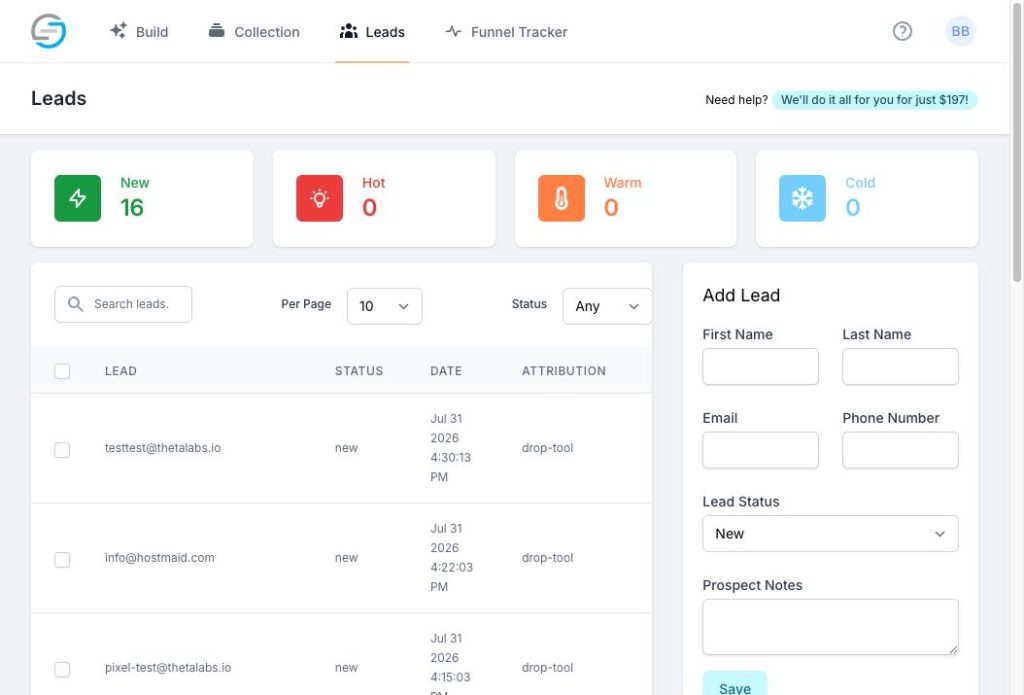
This is the part a plain file host can’t do for you. A form on a static page has to submit somewhere, and wiring that up yourself usually means a third-party form service, an API key, and an afternoon.
On OSP, the form on your dropped page feeds your leads inbox. Every submission lands in one list with the page it came from, your phone buzzes in real time, and you can push contacts straight into GetResponse, AWeber, Mailchimp, or ActiveCampaign for follow-up.
6. Tag your links so you know what’s working
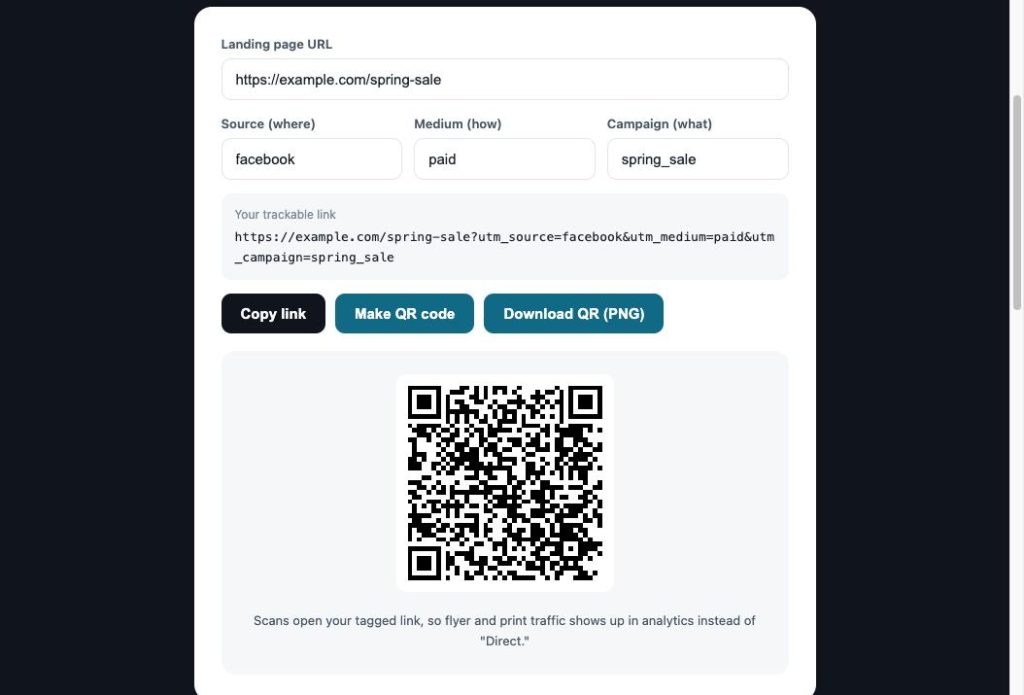
You’ve got a live page and leads coming in. Next question, always: where did they come from?
Run your URL through the free UTM builder and make one tagged link per channel — Facebook ad, email, Instagram bio, the flyer on the counter. It also spits out a QR code for print. Two minutes of tagging now is the difference between “ads work, I think” and “the Tuesday ad brought eleven leads.”
7. Put your own domain on it
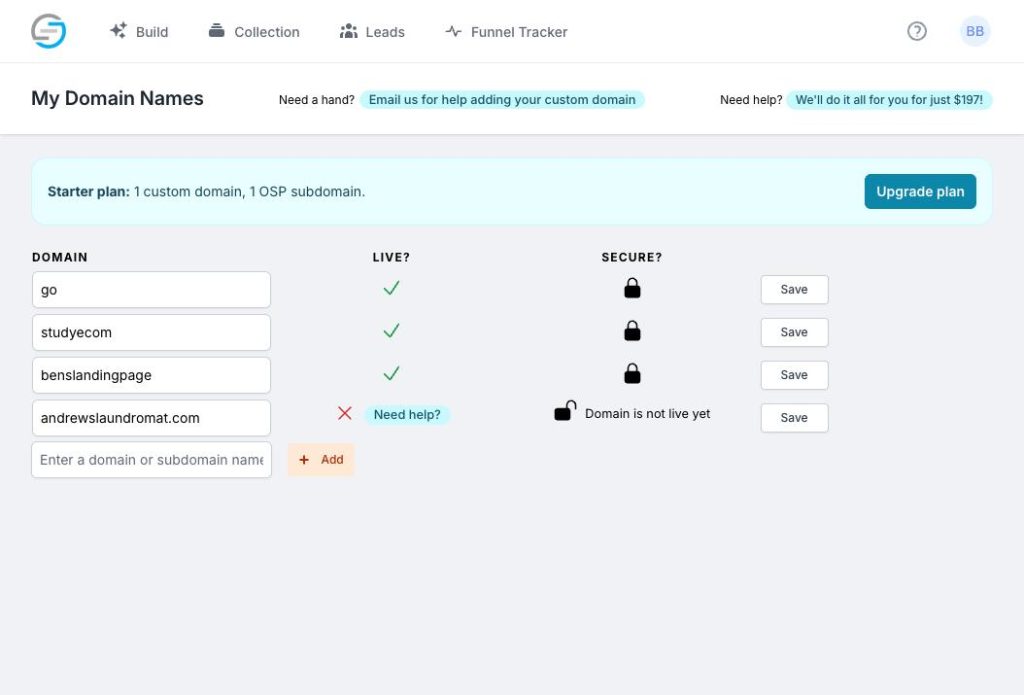
The free URL is perfect for testing. For anything you’re running ads to, use your own domain — it converts better, because people trust a link that carries your name.
Custom domains start on the $9 Starter plan (one domain, five live pages). Premium at $37 takes it to unlimited pages and up to five domains. Same drop-and-go flow either way; the address just says your brand instead of ours.
Don’t have a page yet? Start from a template.
OSP Drop assumes you arrived with a file. Plenty of people don’t — so the same publish button works from the other direction.
Pick a template from the gallery, edit the headline and the offer in the Quick Editor, hit publish. Same live URL, same leads inbox, same tracking. The difference is you skipped the design decision entirely.
There’s also an example gallery sitting right on the Drop page: no site yet? pick one and publish it instantly — a complete, real page live under your account in one click, which you can then rip apart and make your own.
SCREENSHOT 8 — template gallery grid, 6–9 of the best-looking ones in frame. Caption: Use one, or use them all.
OSP Drop vs Netlify: pick the right tool
We’ll be straight with you, because you’ll figure it out anyway.
Netlify is a developer platform, and a very good one. Git-based deploys, build pipelines, serverless functions, previews on every branch, granular DNS control. If you’re a developer shipping an app, use Netlify. We’re not pretending to compete on that surface.
OSP Drop is for the other person — the marketer, the agent, the owner who had an AI build one page and needs it online before lunch. Fewer options, on purpose. There’s no build configuration because there’s no build. There’s nothing to connect because there’s no repo.
OSP Drop — built for marketers and business owners. Deploy by dragging a file onto a box, no build step, about a one-minute learning curve. Lead capture, mobile alerts, and email integrations are built in. Includes a marketing template gallery. Ceiling: landing pages and simple sites. Entry price: free, then $9/mo.
Netlify — built for developers and dev teams. Deploy by connecting a repo, or dragging a folder, with a full build pipeline available. Learning curve: an afternoon if you’re not a dev. Forms are available but the CRM is on you. Includes developer starter templates. Ceiling: effectively unlimited. Entry price: free tier, then developer pricing.
The honest recommendation
Shipping an application, running builds, or working out of Git? Use Netlify. Sitting on an HTML file that needs to be a link in the next two minutes, with a form that captures leads you can actually call? That’s this. Fewer knobs is the feature.
What it costs
The knowledge is free. You pay for infrastructure — pages that stay live, leads that get stored, links that keep tracking.
- Free — $0/mo. One live page, starter templates, leads stored, mobile lead alerts. No card.
- Starter — $9/mo. Five live pages, the full template gallery, one custom domain, autoresponder integration.
- Premium — $37/mo. Unlimited live pages, up to five domains, unlimited integrations, priority support.
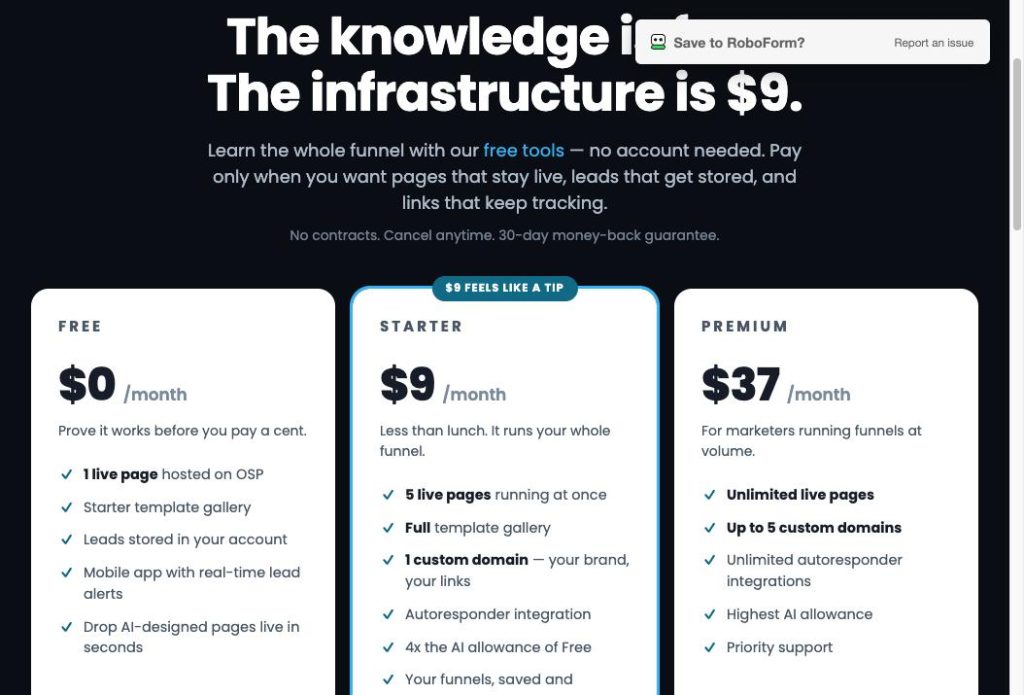
Every paid plan carries a 30-day money-back guarantee and cancels in one click, and Premium includes a 14-day free trial — so you can push the unlimited plan as hard as you want before you’re billed a cent. See full pricing.
Quick answers
Do I need an account to try it?
No. Drop a file and see it live first. Create a free account when you want the page to stay and the leads to be stored.
What files does it accept?
A single .html file, or a .zip if your page came with images and stylesheets in a folder.
Will my form actually work?
Yes — that’s the point. Submissions go to your leads inbox, your phone alerts you, and you can sync contacts to GetResponse, AWeber, Mailchimp, or ActiveCampaign.
Can I edit the page after I drop it?
Change the file and drop the new version. If you’d rather edit in the browser, start from a template and use the Quick Editor.
Can I move off later?
It’s your file and your leads. Export the leads, take the HTML, host it anywhere.
You already did the hard part.
The page is written. The file is sitting in your downloads folder. Give it a URL.
Drop my page — free · Create a free account